Insurance & Protection · Business Insurance

Workers' Compensation Premium Calculator

Short answer: What does the Workers' Compensation Premium Calculator calculate?

The Workers' Compensation Premium Calculator works out estimated annual premium, manual premium and experience mod effect. Estimate a workers' comp premium from payroll, class code rates and your experience modification factor. It uses US rules and USD, and it is free to use on this page. Embed it on your own website on the Business plan.

Updated · Applies to the United States (US rules, USD)

  • Free to use here · embed on the Business plan
  • 11 inputs · 6 results
  • Works in 6 languages
  • Uses US rules and USD

Try the Workers' Compensation Premium Calculator

See your estimated workers' comp premium — results update as you type.

See all 12 themes
Theme
Mode

Ledger · Free on every plan · The classic CalcFunnel card: gradient results header, clean panels.

Loads from app.calcfunnel.com when you scroll here.

Estimates only — not a loan offer or financial advice. Switch theme and light/dark above to see how it could look on your site.

Put this calculator on your website

What this calculator does

What the Workers' Compensation Premium calculator works out

The Workers' Compensation Premium Calculator is a free, embeddable calculator from CalcFunnel. Estimate a workers' comp premium from payroll, class code rates and your experience modification factor.

You enter 11 inputs: class 1 annual payroll, class 1 rate per $100, class 2 annual payroll, class 2 rate per $100, class 3 annual payroll, class 3 rate per $100, experience modification factor, schedule credit (−) or debit (+) (%), premium discount (%), state assessments & surcharges (%) and expense constant & fees.

It returns estimated annual premium, manual premium, experience mod effect, standard premium, effective cost per $100 of payroll and total payroll.

Built for insurance agents and benefits advisors. Embedding it on your own website needs the Business plan (from $210/month, with a 14-day free trial), which unlocks the Insurance & Protection category.

Results it shows

  1. 01Estimated Annual Premium
  2. 02Manual Premium
  3. 03Experience Mod Effect
  4. 04Standard Premium
  5. 05Effective Cost per $100 of Payroll
  6. 06Total Payroll

The first figure — estimated annual premium — is the headline result.

Inputs

What you can change

Every field visitors can adjust, straight from the calculator, with the same help text they see on the info icon. Each one starts with a sensible default, and the 6 results update as they type.

Payroll by Class Code

Class 1 Annual Payroll
Estimated yearly payroll for employees in your main class code.
Class 1 Rate per $100
The rate per $100 of payroll for this class code, from your quote, policy or state rating bureau. The default is only a placeholder.
Class 2 Annual Payroll
Payroll for a second class code, such as clerical office employees. Leave at 0 if not needed.
Class 2 Rate per $100
The rate per $100 of payroll for the second class code.
Class 3 Annual Payroll
Payroll for a third class code, such as outside sales. Leave at 0 if not needed.
Class 3 Rate per $100
The rate per $100 of payroll for the third class code.

Rating Factors

Experience Modification Factor
Your experience mod from your rating worksheet. 1.00 is average; below 1.00 is a credit for better-than-average claims, above 1.00 a debit. New or small businesses often have no mod — use 1.00.
Schedule Credit (−) or Debit (+) (%)
A credit or debit the underwriter applies for factors such as safety programs. Enter a credit as a negative number. Limits vary by state.
Premium Discount (%)
The size-based premium discount on larger policies, from your quote.
State Assessments & Surcharges (%)
Taxes and assessments your state adds, as a percentage, from your quote.
Expense Constant & Fees
Flat policy fees from your quote, such as the expense constant.

Definitions

Workers' Compensation Premium terms, defined

The terms this calculator uses, in plain words. The same definitions appear inside the calculator for your visitors.

Workers' compensation insurance
Insurance that pays medical care and lost wages for employees injured or made ill on the job, and generally protects the employer from lawsuits over those injuries. Nearly every state requires employers with employees to carry it; rules on owners, small employers and exemptions vary by state.
Class code and rate
Each type of work is assigned a class code with a rate per $100 of payroll that reflects its injury risk — clerical work has a low rate, roofing a very high one. The rates come from your carrier and state rating bureau and change yearly.
Manual premium
Payroll divided by 100, times the class rate, added up across your class codes. $500,000 of payroll at $1.50 per $100 is a $7,500 manual premium before any adjustments.
Experience modification factor (EMR)
A multiplier based on your own claims history compared with similar businesses, usually over three years. A 0.85 mod cuts the premium by 15%; a 1.25 mod raises it by 25%. It is calculated by NCCI or your state bureau once a business is large enough to qualify.
Schedule rating
Credits or debits an underwriter may apply for things not reflected in your mod, such as safety programs, workplace condition or employee training. States limit how large they can be.
Standard premium and premium discount
Standard premium is the manual premium after the experience mod and schedule rating. Larger policies may then get a premium discount that reflects lower administrative cost per dollar of premium.
Payroll audit
Workers' comp is priced on estimated payroll, then audited after the policy year. If actual payroll was higher, you owe more premium; if lower, you get a refund. Keeping employees in the correct class codes avoids surprises.

For your website

How it looks on your site

Put the Workers' Compensation Premium Calculator on your own site with your colors, copy and lead form, in whichever of these five ways suits the page. Every calculation can arrive in your CRM with the numbers attached.

Works on WordPress, Wix, Squarespace, Webflow, Shopify, GoHighLevel and plain HTML — paste one line into an HTML or code block. No plugin needed.

  • Inline, without an iframe

    Paste the snippet where the Workers' Compensation Premium Calculator should appear. It renders into your page, fills the width of its container and grows to fit.

    Best for: Landing pages, blog posts, calculator pages

  • Popup button

    A button sits on your page; one click opens the calculator in a popup over it.

    Best for: Pricing sections, hero areas, listings

  • Floating corner widget

    Paste once (or in your site-wide footer code) for a floating bubble in the corner of every page.

    Best for: Site-wide, always one click away

  • Your own link or button

    Give any existing link, button or image a class and it opens the calculator when clicked.

    Best for: Menus, images, in-text links

  • Direct link

    A full-page link to the calculator for emails, social posts, QR codes or a menu item.

    Best for: Email, social, print, QR codes

Start free How embedding works

Free plan, no card. 14-day trial on Pro & Business.

Widgets

Use it in a widget

Group the Workers' Compensation Premium Calculator with up to 11 other calculators in one widget: a floating launcher, tabs, a row of buttons or a card grid. Widgets per plan: Free 1, Pro 10, Business unlimited.

  • Floating launcher widget, Classic bubble design: Round launcher with a soft pulse and a clean list.

    Floating launcher

    A bubble in the corner of every page opens a menu of your calculators.

    6 ready-made designs
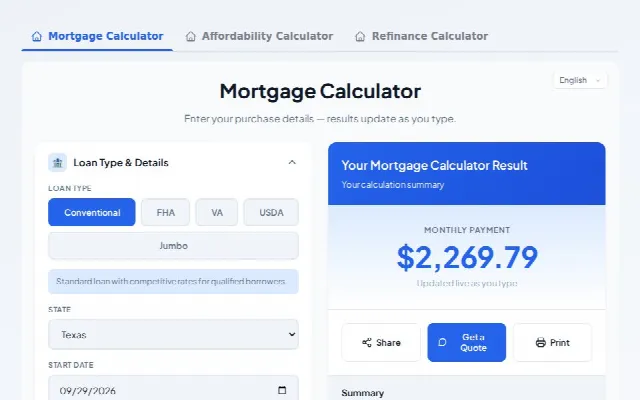
  • Tabs widget, Underline design: Text tabs with an animated underline.

    Tabs

    Calculators side by side in one block on the page, switched with tabs.

    6 ready-made designs
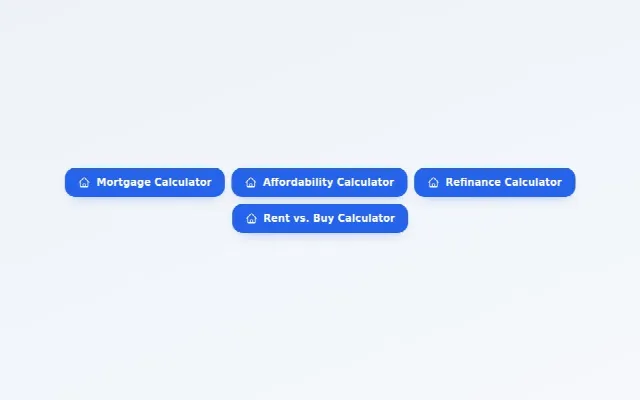
  • Buttons widget, Solid design: Filled buttons in your brand color.

    Buttons

    A row of buttons; each one opens its calculator in a popup.

    6 ready-made designs
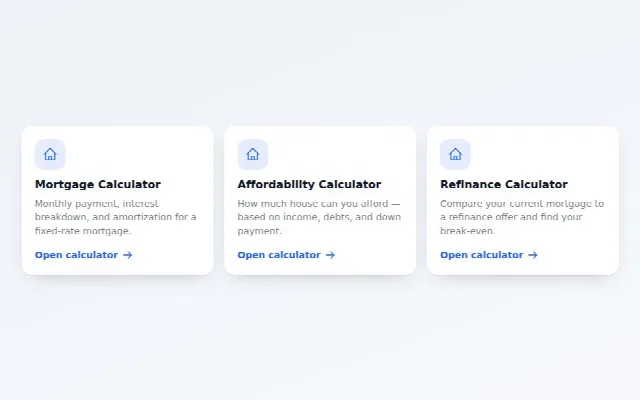
  • Cards grid widget, Elevated design: White cards with a soft shadow and lift.

    Cards grid

    A grid of cards with an icon and a short blurb; click to open the calculator.

    6 ready-made designs

See every widget design

FAQ

Workers' Compensation Premium calculator FAQs

Still stuck? Ask the team — we reply within one business day.

Q.01What does the Workers' Compensation Premium Calculator calculate?
Estimate a workers' comp premium from payroll, class code rates and your experience modification factor. It returns estimated annual premium, manual premium, experience mod effect, standard premium, effective cost per $100 of payroll and total payroll.
Q.02What information do I need to use the Workers' Compensation Premium Calculator?
You enter 11 inputs: class 1 annual payroll, class 1 rate per $100, class 2 annual payroll, class 2 rate per $100, class 3 annual payroll, class 3 rate per $100, experience modification factor, schedule credit (−) or debit (+) (%), premium discount (%), state assessments & surcharges (%) and expense constant & fees. Every input starts with a sensible default, so you can change only what you know.
Q.03What does “Class 1 Annual Payroll” mean in the Workers' Compensation Premium Calculator?
Estimated yearly payroll for employees in your main class code.
Q.04What does “Class 1 Rate per $100” mean in the Workers' Compensation Premium Calculator?
The rate per $100 of payroll for this class code, from your quote, policy or state rating bureau. The default is only a placeholder.
Q.05Is the Workers' Compensation Premium Calculator free to use?
Yes — you can use it on this page for free, without an account. Embedding it on your own website needs the Business plan (from $210/month, with a 14-day free trial), which unlocks the Insurance & Protection category. Compare plans.
Q.06Can I embed the Workers' Compensation Premium Calculator on my website?
Yes. Embed it inline, as a popup button, as a floating corner widget, from your own link or button, or share a direct link. It works on WordPress, Wix, Squarespace, Webflow, Shopify, GoHighLevel and plain HTML sites with one line of code — see embedding.
Q.07Can I change how the Workers' Compensation Premium Calculator looks?
Yes. Choose from 12 themes, each in light and dark, then set your own brand colors and font. Ledger, Minimal, Compact come with every plan; the others unlock on Pro and Business.
Q.08Is the Workers' Compensation Premium Calculator available in other languages?
Yes. It works in English, Spanish, Simplified Chinese, Korean, Vietnamese and Arabic, with a right-to-left layout in Arabic. Labels, tooltips, results and definitions are translated, visitors can switch language inside the calculator, and amounts stay in US dollars and US number format.
Q.09Can the calculator capture leads?
Yes. It can end with a lead form, a Get a Quote form, a Share panel or a button to any URL. Leads are saved with the inputs and results attached and can be forwarded to your CRM by webhook.
Q.10Are the Workers' Compensation Premium results financial advice?
No. Estimates only. Uses the class rates, experience mod, schedule rating, discount and assessments you enter; it does not supply rates, which are set by each carrier and state rating bureau (NCCI or an independent bureau) and change every year. Actual premiums also depend on payroll caps for owners and officers, minimum premiums, state-specific surcharges and the final payroll audit. Monopolistic states (North Dakota, Ohio, Washington, Wyoming) use state funds with their own rules. Consult a licensed insurance professional.

Related insurance & protection calculators

All 30 in Insurance & Protection

Your website does the math. You get the lead.

The Workers' Compensation Premium Calculator is one of 208 calculators you can brand and embed with one line of code.

  • Free plan, no card
  • 14-day trial on Pro & Business
  • Cancel any time